Usage
API key
Before you can download any images (or any metadata about them) from Google StreetView, you have to register for Google’s Static StreetView API. Go to https://developers.google.com/maps/documentation/streetview/get-api-key and follow the instructions there. Be sure to also generate an URL signing secret.
Command line utility
The quickest way of downloading StreetView images and their metadata is to use the command line utility streetviewdownloader:
$ streetviewdownloader --api-key ABCDEF --url-signing-key GHIJKL --extent "POLYGON((24.40 60.12, 24.45 60.11, 24.46 60.13, 24.40 60.12))"
Python
For more advanced applications, such as saving the metadata only, or for integrating the StreetView data download into a workflow pipeline, you can also use Streetviewdownloader’s Python API.
Define download extent and download directory
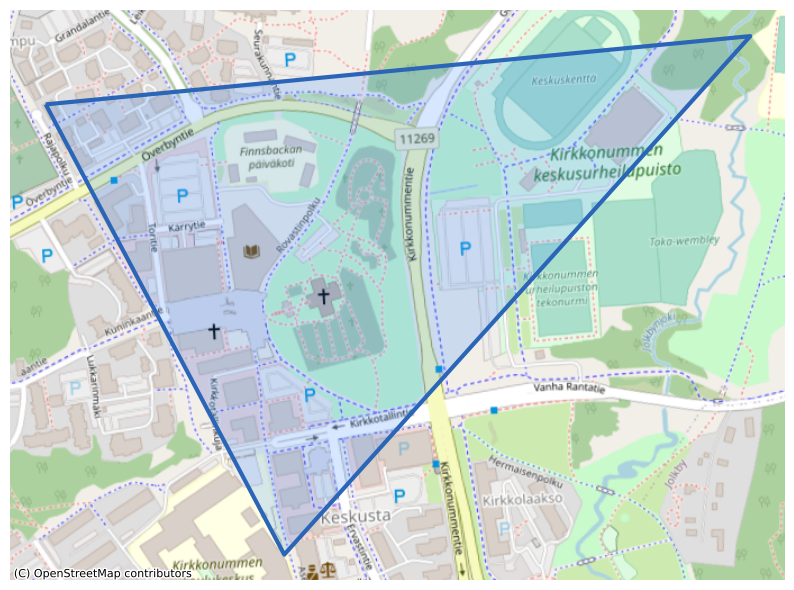
For all examples below, we’ll download data for an area in the municipality of Kirkkonummi, about 50 km west of Helsinki, Finland. We’ll save the downloaded images and/or an associated metadata.gpkg into a subfolder of ~/Downloads/:
[2]:
import shapely.wkt
import ipyleaflet


output_directory = "/home/USER/Downloads/StreetView/"
kirkkonummi = shapely.wkt.loads("POLYGON((24.4343 60.1269, 24.4478 60.1272, 24.4384 60.1225, 24.4343 60.1269))")

plot(kirkkonummi)
[2]:
<Axes: >
Using StreetViewDownloader()
The simplest way of accessing the Python API is to use the StreetViewDownloader() class.
[3]:
from streetviewdownloader import StreetViewDownloader

downloader = StreetViewDownloader(API_KEY, URL_SIGNING_KEY)
downloader.download(kirkkonummi, output_directory)
This downloads the metadata to metadata.gpkg, and all images into the output directory. Note that, by default, data is appended to an existing metadata dataset, and images existing in the directory are not downloaded again. If you want the metadata only, call download() with metadata_only=True.
Depending on the location and size of the extent, this operation can take a while. In the background, Streetviewdownloader carries out multiple steps:
Decide which OSM extract from either geofabrik.de or bbbike.org fits best for the extent (the smallest extract in which the extent is fully contained)
Download this OSM extract, and extract and clip the street network to the extent
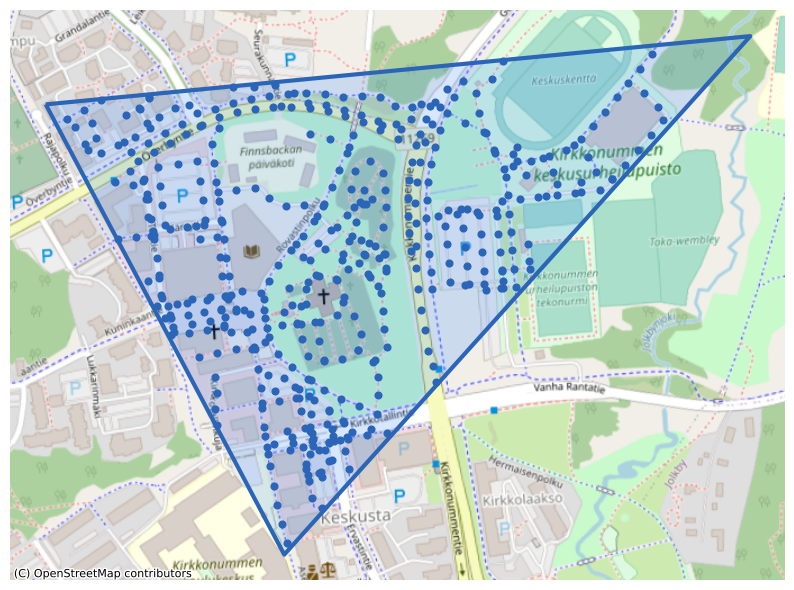
Generate a point data set on this street network with at most 25 meter distance between points
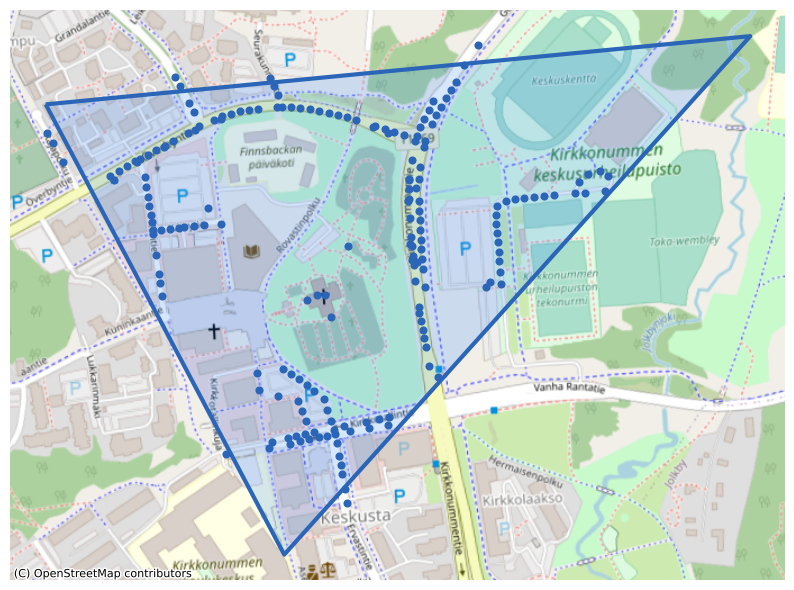
Query the StreetView Static API for panoramas in the immediate vicinity of each point (and remove duplicates afterwards)
Download six images each for every panorama.
The results of the first two steps are cached for up to seven days, as they are the most expensive ones in respect to download time and processing time. They should complete fast in subsequent runs.
Step by step
Some of these steps can be carried out individually, in order to fine-tune the results, or to save intermediary data sets.
1-3. Generate equidistant points on the street network
[4]:
from streetviewdownloader import StreetNetworkPointGenerator

point_generator = StreetNetworkPointGenerator()
points = point_generator.points_on_street_network(kirkkonummi)

points.head()
plot(kirkkonummi, points)
[4]:
| geometry | |
|---|---|
| 0 | POINT (24.43637 60.12480) |
| 1 | POINT (24.43647 60.12464) |
| 2 | POINT (24.43623 60.12563) |
| 3 | POINT (24.43656 60.12565) |
| 4 | POINT (24.43689 60.12566) |
[4]:
<Axes: >
4. Query the StreetView API for panoramas close to each point
[5]:
from streetviewdownloader import StreetViewMetadataDownloader

metadata_downloader = StreetViewMetadataDownloader(API_KEY, URL_SIGNING_KEY)
metadata = metadata_downloader.download(points)

metadata.head()
plot(kirkkonummi, metadata)
[5]:
| date | geometry | pano_id | |
|---|---|---|---|
| 0 | 2021-08-01 | POINT (24.44005 60.12662) | cLfEWSeeQq54YgoQm0Audg |
| 1 | 2021-08-01 | POINT (24.43969 60.12668) | MRs1pW7z6GzmkiRpkGg-Sw |
| 2 | 2021-08-01 | POINT (24.43934 60.12672) | aWrLemUbLXzVaGcprc1oUg |
| 3 | 2021-08-01 | POINT (24.43898 60.12675) | vcOJ68wXPr3Qt1G_3NzZRA |
| 4 | 2021-08-01 | POINT (24.43872 60.12675) | ABf-m6zh5T814eMNyn5LeQ |
[5]:
<Axes: >
This is a good moment to estimate the costs of downloading all images (querying metadata is free). At the time of this writing, the price for downloading one image is 0.007 USD. The way Streetviewdownloader obtains the images, each panorama consists of six individual images covering a field-of-view of 60°, each.
[6]:
estimated_costs = len(metadata) * 6 * 0.007
estimated_costs
[6]:
7.938
5. Download the individual images
[7]:
from streetviewdownloader import StreetViewImageDownloader
image_downloader = StreetViewImageDownloader(API_KEY, URL_SIGNING_KEY)
image_downloader.download(metadata, output_directory)